Field service invoicing, per job or weekly
Bill straight from the work order. Set each customer COD or Invoiced, billed one invoice per work order or weekly, and record every payment as it comes in.
How a job moves
- OpenNo tech has the job yet. Offers wait here.
- SchedulingA tech has the job. It has a day, or it's waiting for one.
- DispatchToday's work, until it's done.
- ClosedThe field work is done.
Nobody moves a row by hand. Change the tech, the date or the time, and the board follows.
Before and after The Pivot
How it works in The Pivot.
Per job or weekly
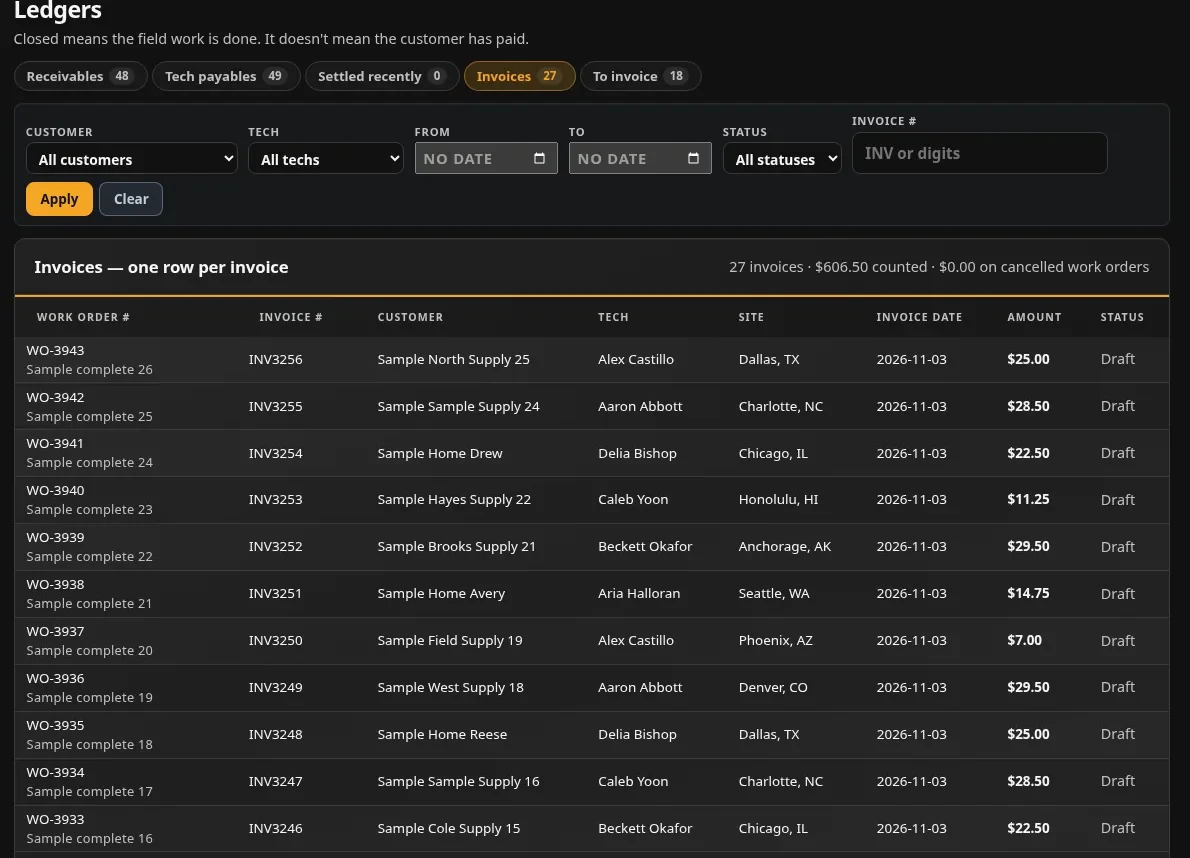
Each customer gets one invoice per work order, or one a week, the way that customer is set. An invoice gets its number and dates when it's issued.
Every payment on the record
Record each payment with amount, date, how and a reference, including part payments. Correct a sent invoice when you need to.
What every job made
Each work order shows what it billed, tech pay, other costs and what's left. It leaves Closed once the customer and the tech are both paid.
Built from the field.
The Pivot was built by a team in the business since 1996, pairing field service experience with deep software experience.
Questions
How are customers billed?
Each customer is COD or Invoiced, and billed one invoice per work order or weekly, as that customer is set.
Does The Pivot record payments?
Yes. Each payment is recorded with amount, date, how and a reference, including part payments.
Can I fix an invoice after it's sent?
Yes. You can correct a sent invoice.
Where does the invoice data come from?
From the work order and your price lists, so nothing gets retyped.
See it on your work orders.
Book a short demo and we'll show you how it works with sample data.
More from The Pivot: