
Nested work order boards for dispatchers
Five boards move work from Open to Scheduling, Dispatch and Closed. Switch how you nest — state then tech, tech then state, customer then state, or one nest only — and keep the desk on one clear work-order table.
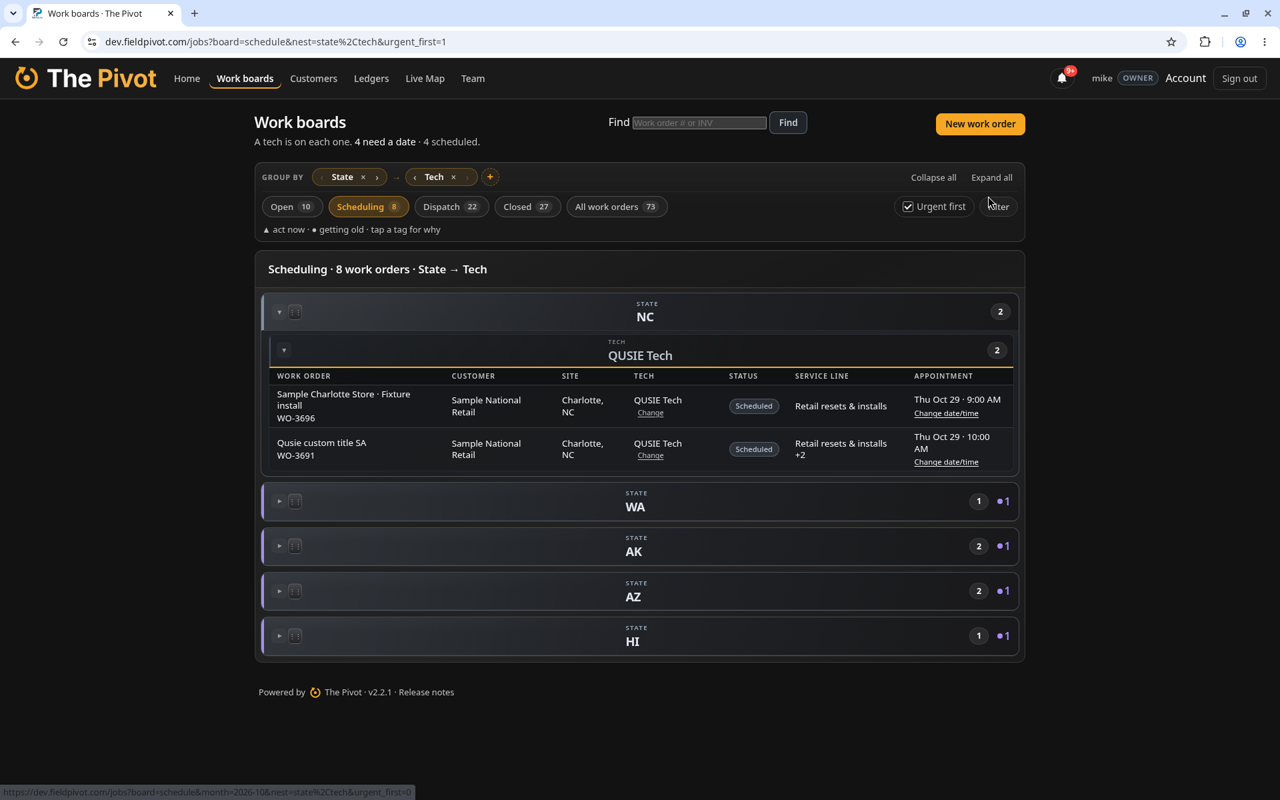
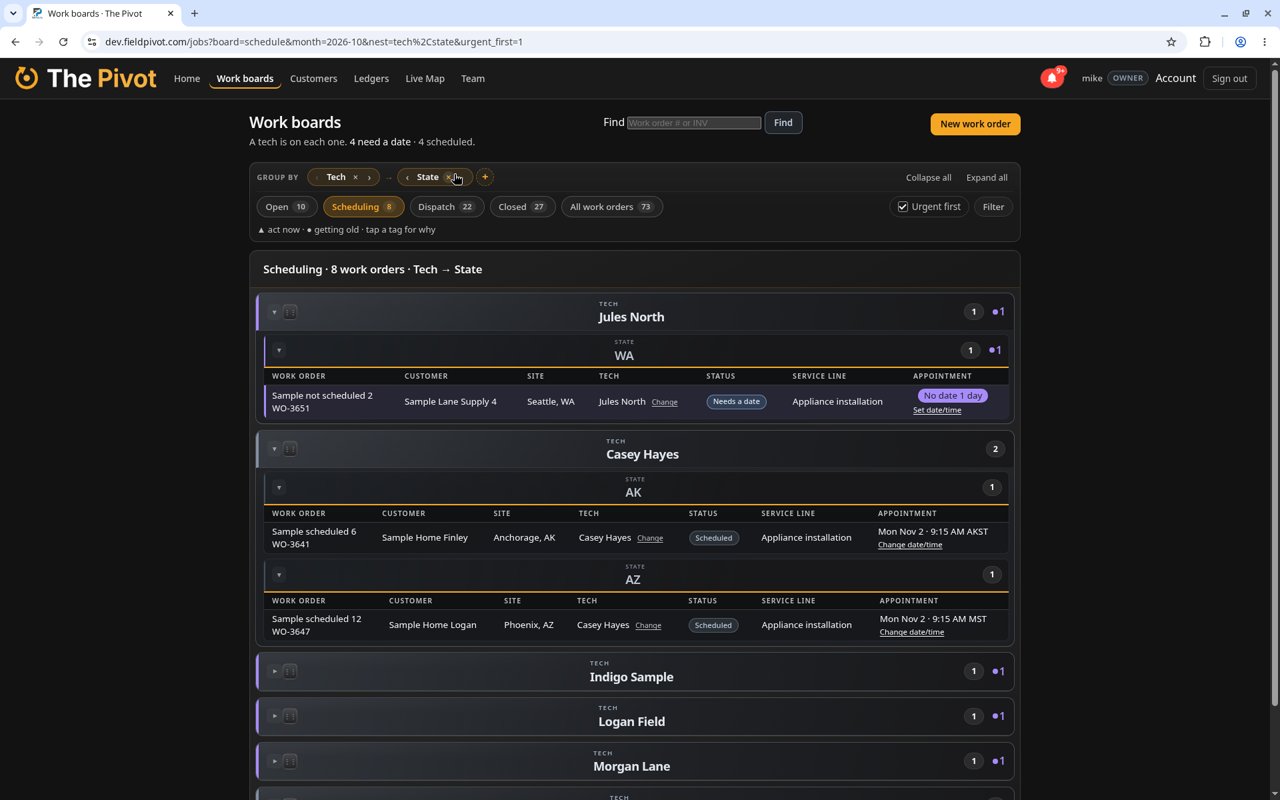
Before and after The Pivot
How it works in The Pivot.
Five boards, one flow
Work moves from Open to Scheduling, Dispatch and Closed. All work orders shows everything, and each tab shows how many are on it.
Nest the table your way
Use Group by to nest however you think — State → Tech, Tech → State, Customer → State, or a single nest. Drag whole nests so what you care about sits at the top.
Your view follows you
Nest and filter choices stick, including across devices. Urgent first and late flags keep the rows that need action in front.
Built from the field.
The Pivot was built by a team in the business since 1996, pairing field service experience with deep software experience.
Questions
What are nested work order boards?
They are the dispatch tables in The Pivot where you nest and filter work orders — for example by state, then by customer — so the desk sees groups that match how you run the day.
How many boards are there?
Five: Open, Scheduling, Dispatch, Closed and All work orders. Each tab shows how many work orders are on it.
Can I change how the board nests?
Yes. Switch the Group by pills anytime — for example State → Tech, then Tech → State, or Customer → State.
Does my nest choice stick?
Yes. The board remembers how you nest and filter, and those choices follow you across devices.
See it on your work orders.
Book a short demo and we'll show you how it works with sample data.
More from The Pivot: